Academics Level
As the name implies, Academics Level refers to the level of the academics that can be inherited by person(student).
Users must click on ‘Academics Level’ on the left hand side of the dashboard to access it. This is done by the following process.
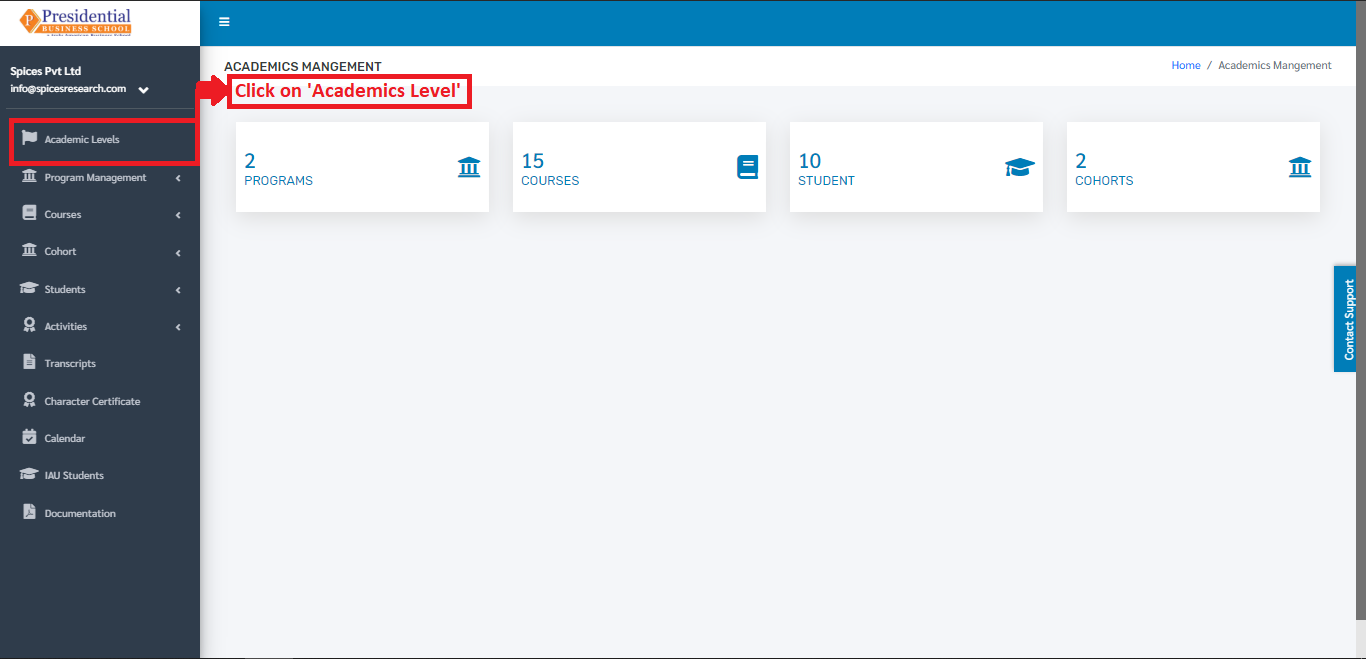
On clicking on Academics Level, the following dashboard will appear on the screen.
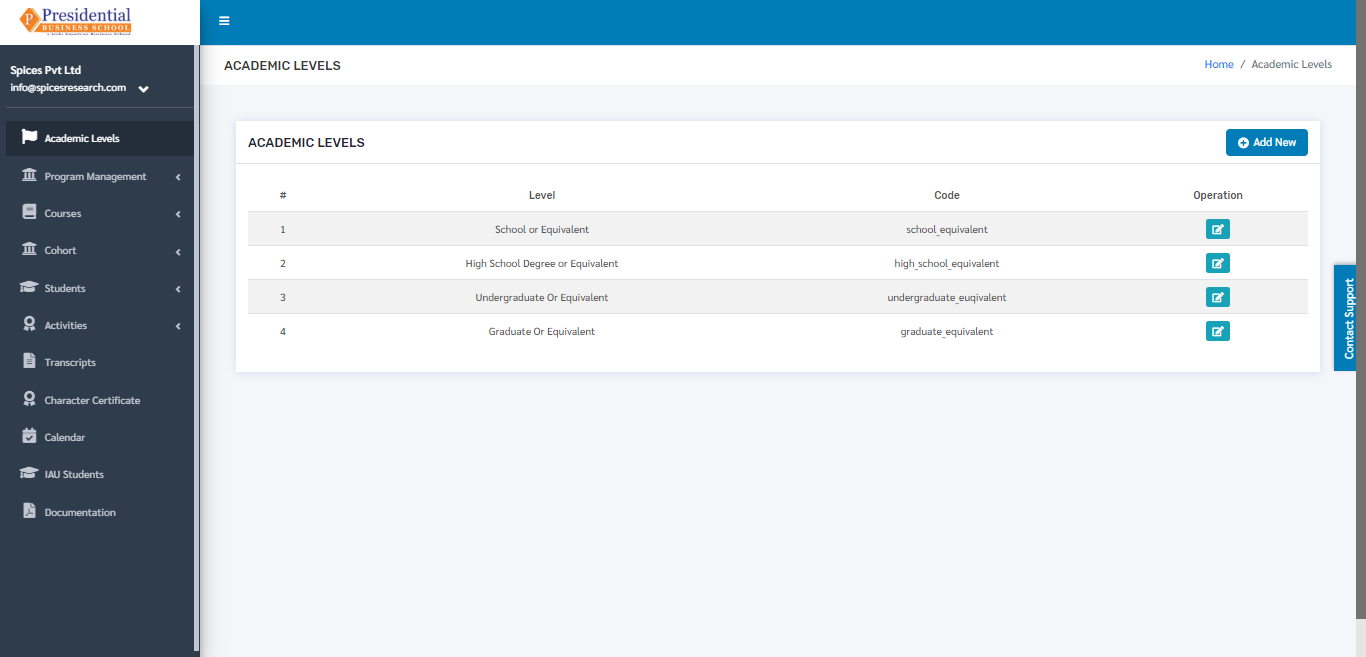
1. Create New Academic Level
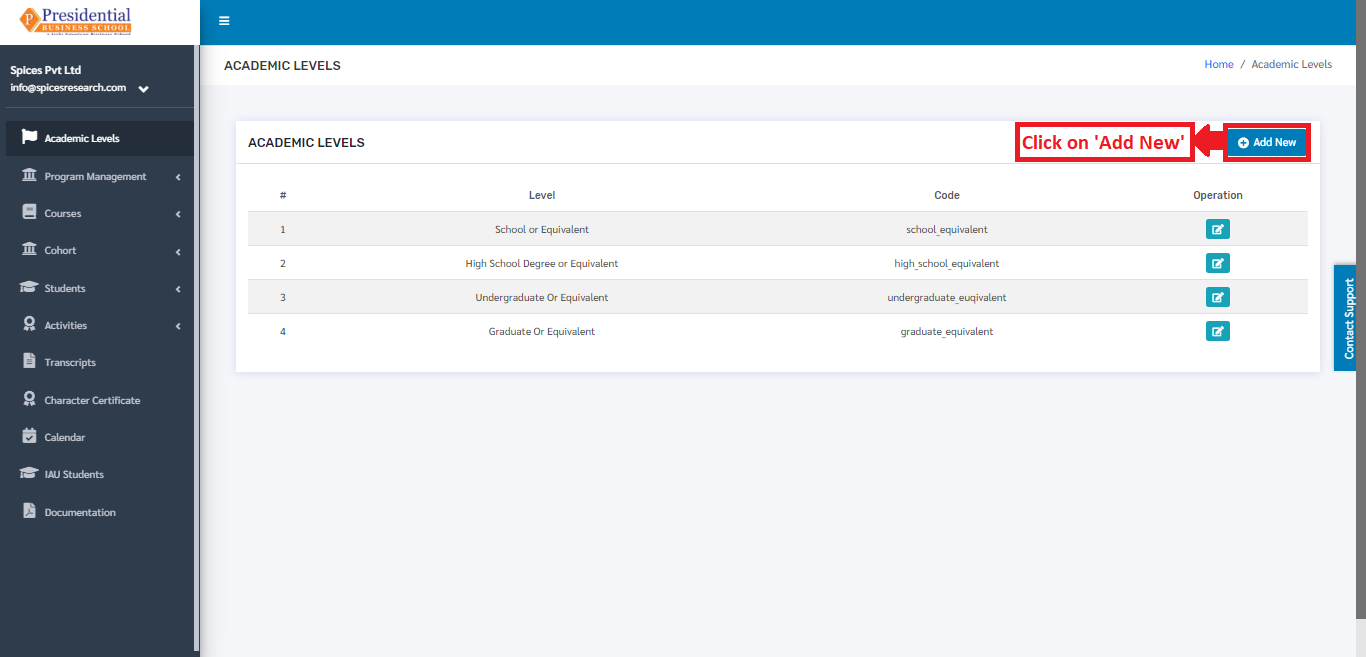
To create a new academic level, the user has to fill out the form in the system. This is done by clicking on the ‘Add New’ button on the top right hand side of the page.
The following page will appear on clicking the ‘Add New’ button.
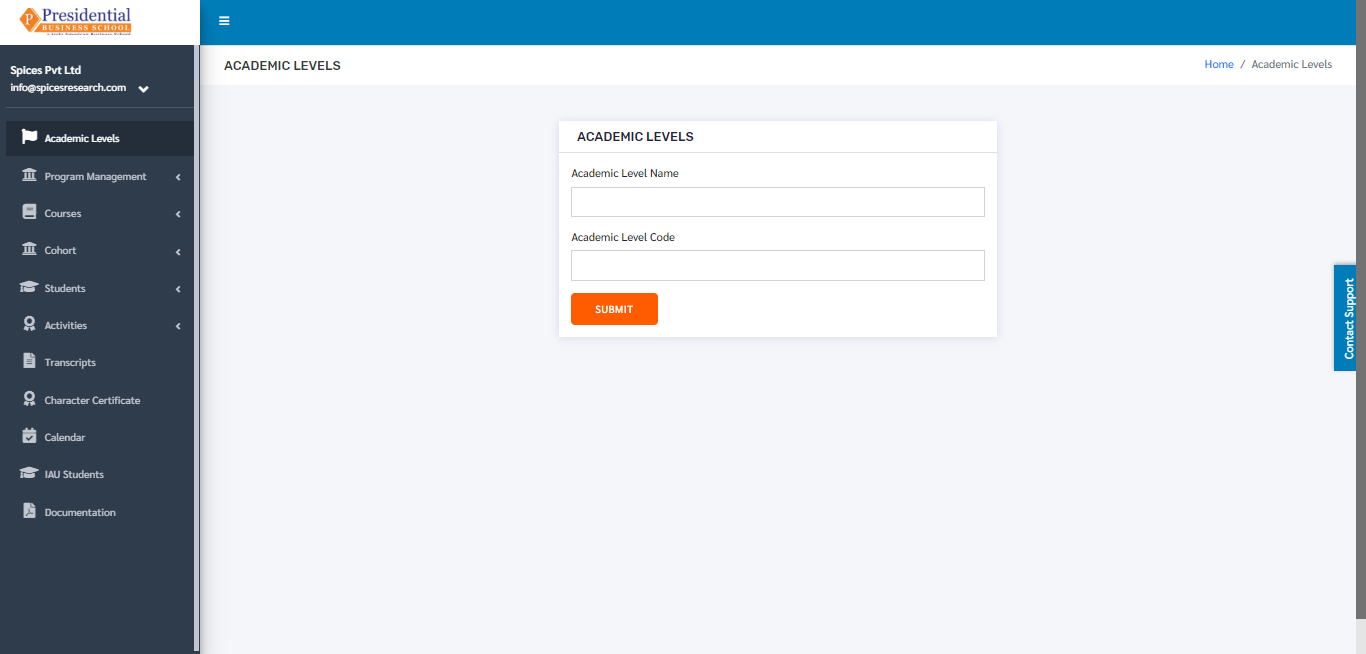
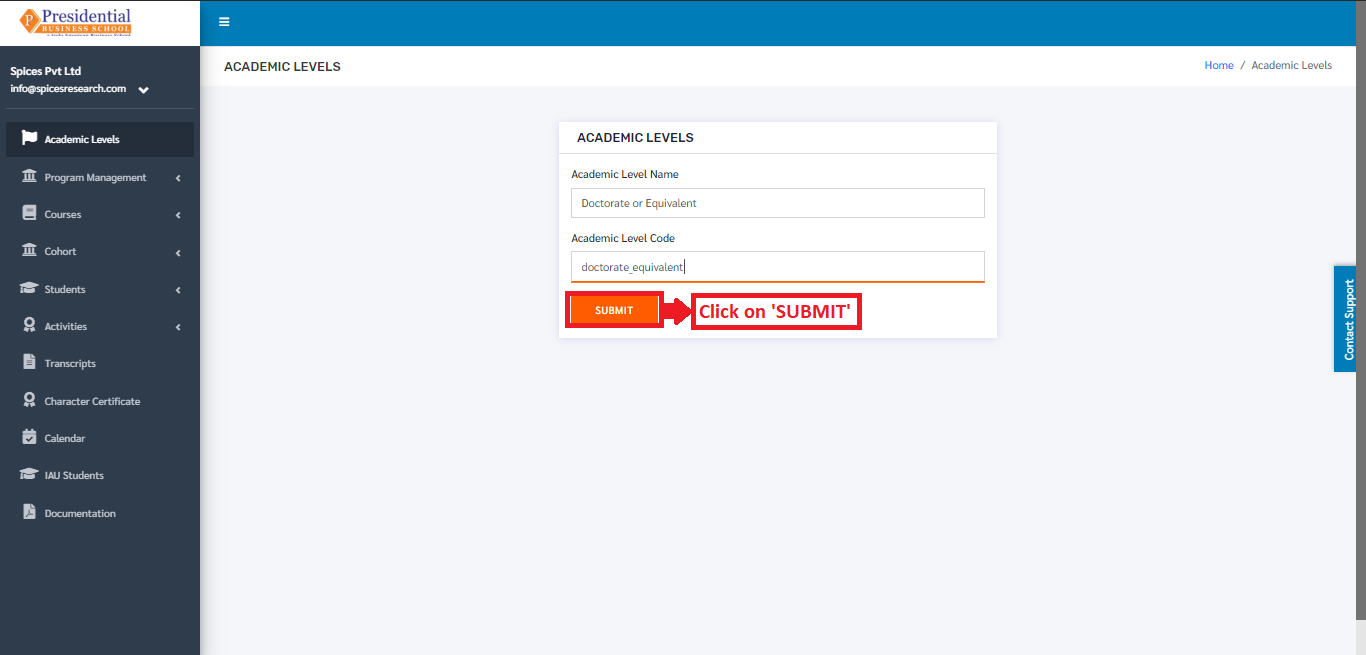
The form must be filled out. The ‘SUBMIT’ button must be clicked to finish up the process.
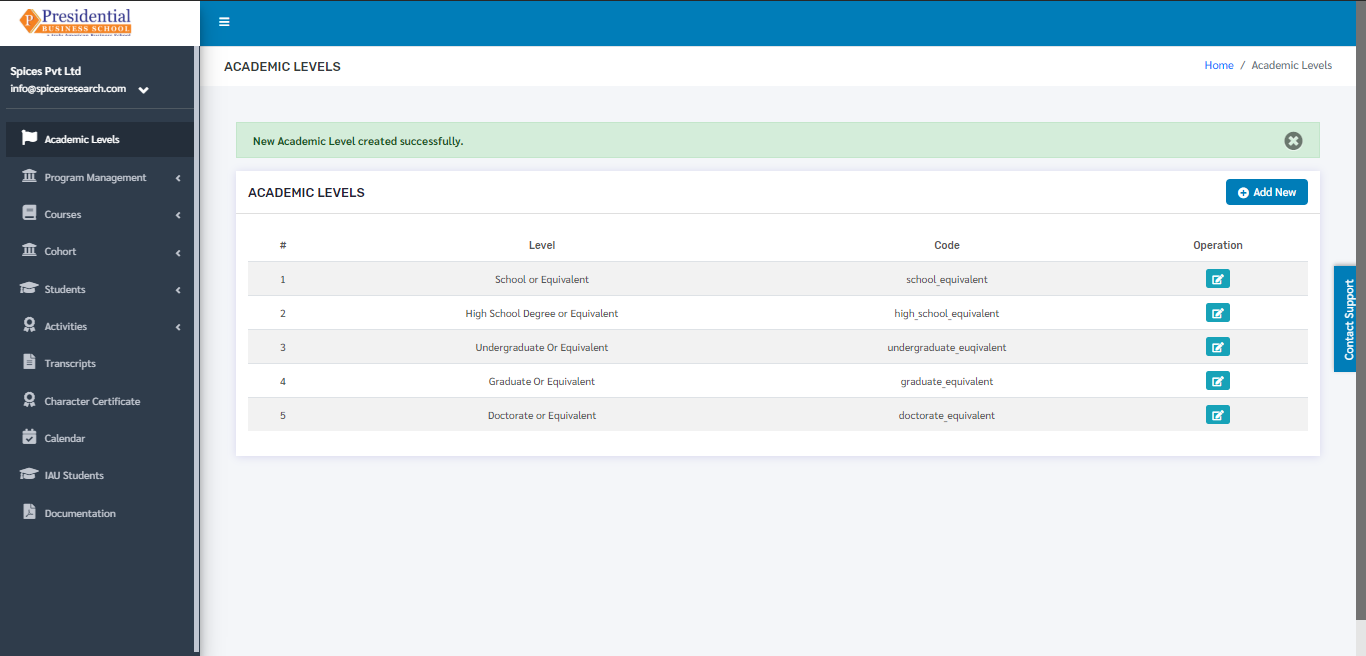
The new academic level can be seen on the dashboard of Academic Levels once the ‘SUBMIT’ button is clicked.
2. Edit Academic Level
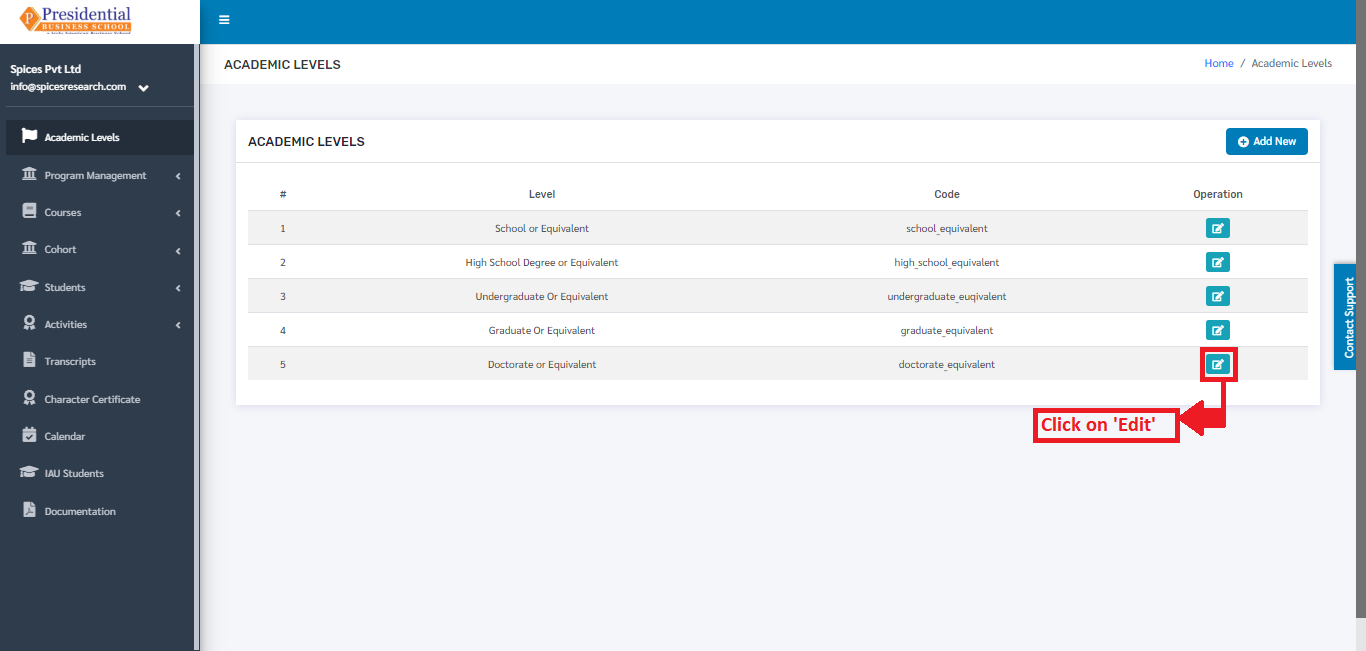
If necessary, details of the academic levels can be edited as well. This is done by clicking on the ‘Edit’ icon(button) under the Operation column.
The following page will appear on clicking the Edit icon(button).
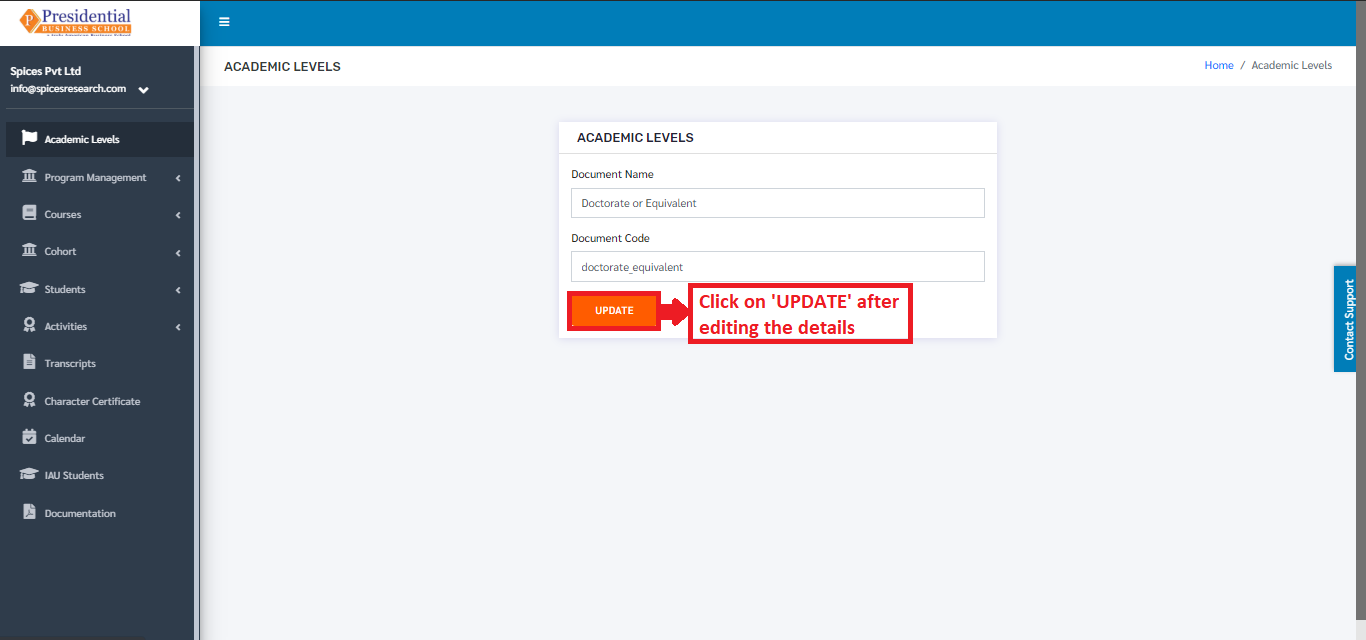
After editing the details, the user must click on the ‘UPDATE’ button to finish up the editing process.