Reports
This sub-module provides detailed pie-chart report and bar graph report on ‘Types of Books’ and ‘Issue and Return’ respectively.
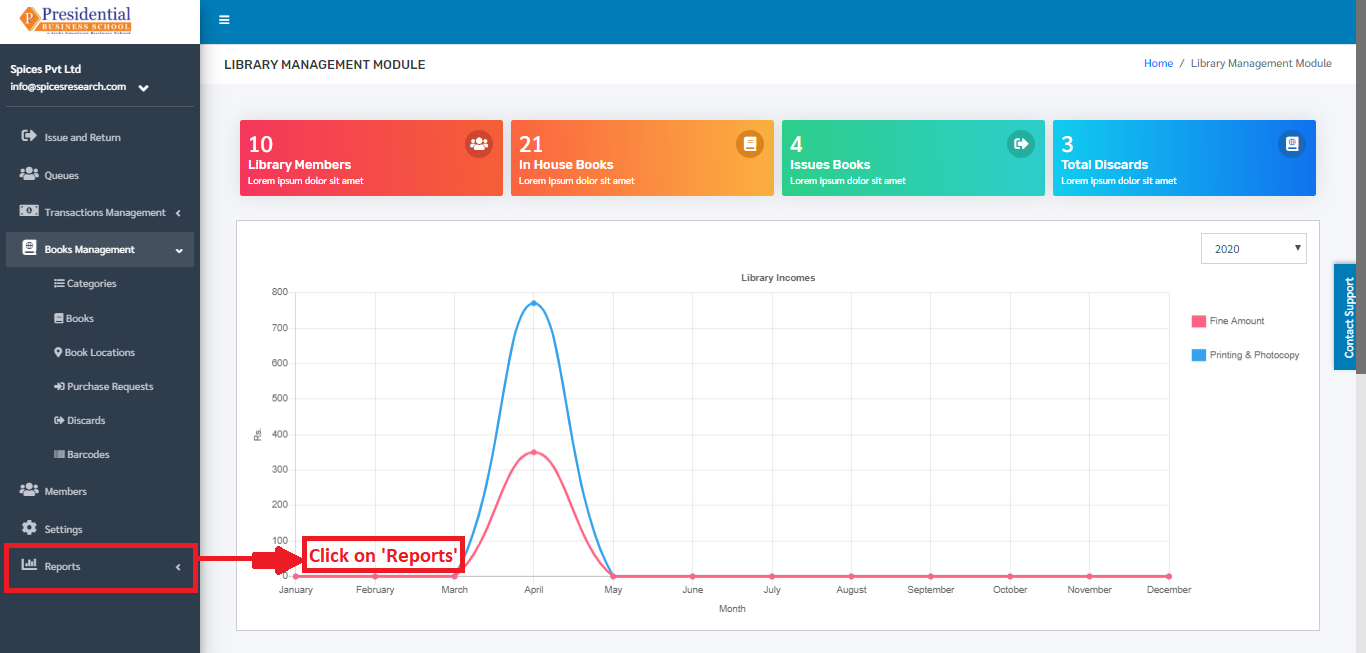
The user (librarian) must click on ‘Reports’ on the left hand side of the dashboard to access it. This is done by the following process.
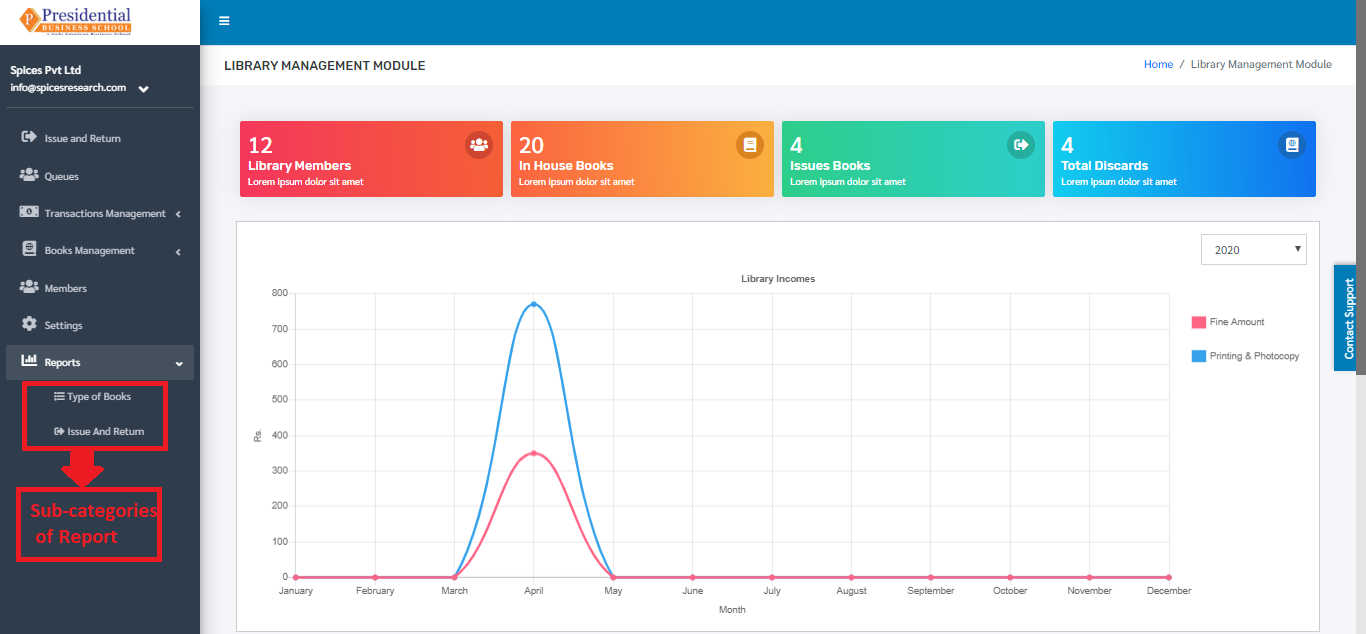
On clicking ‘Reports’, two subcategories will appear namely Types of Books & Issue and Return.
Type of Books
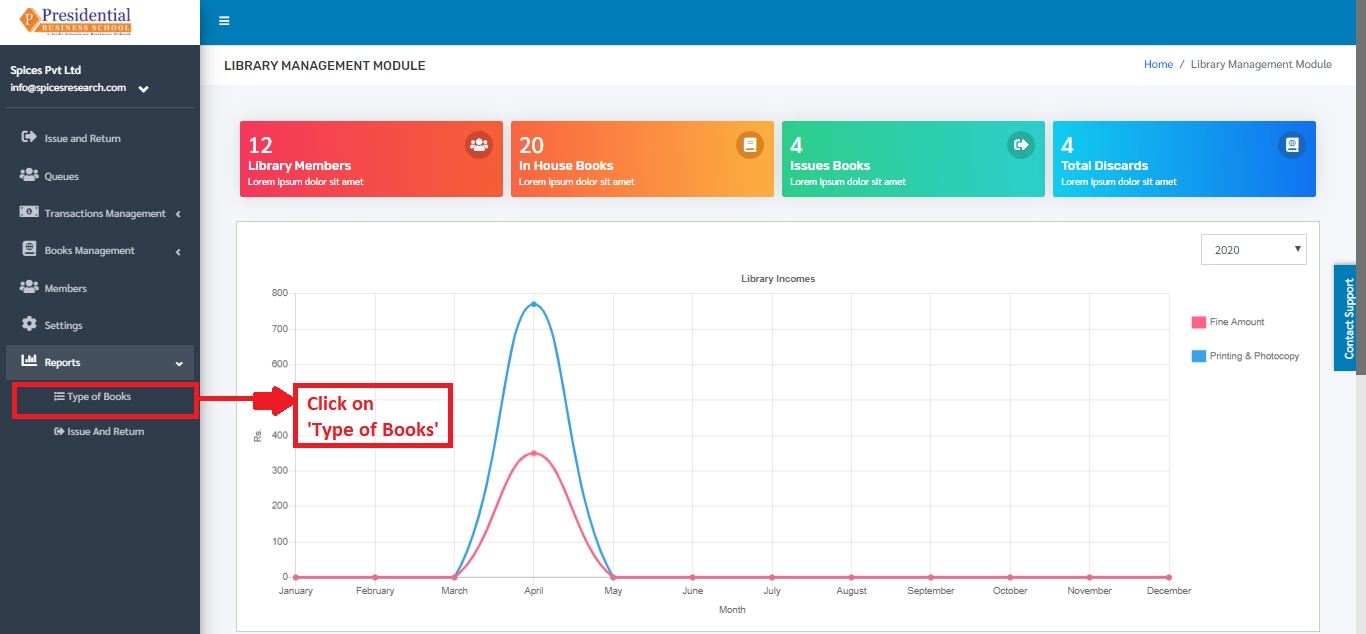
The subcategory generates the report on the types of books present in the library. The report can be seen in the form of Pie- chart. This subcategory can be accessed by clicking on the ‘Type of Books’. This is done by the following process.
The user will be landed on the following page by clicking on ‘Type of Books’.
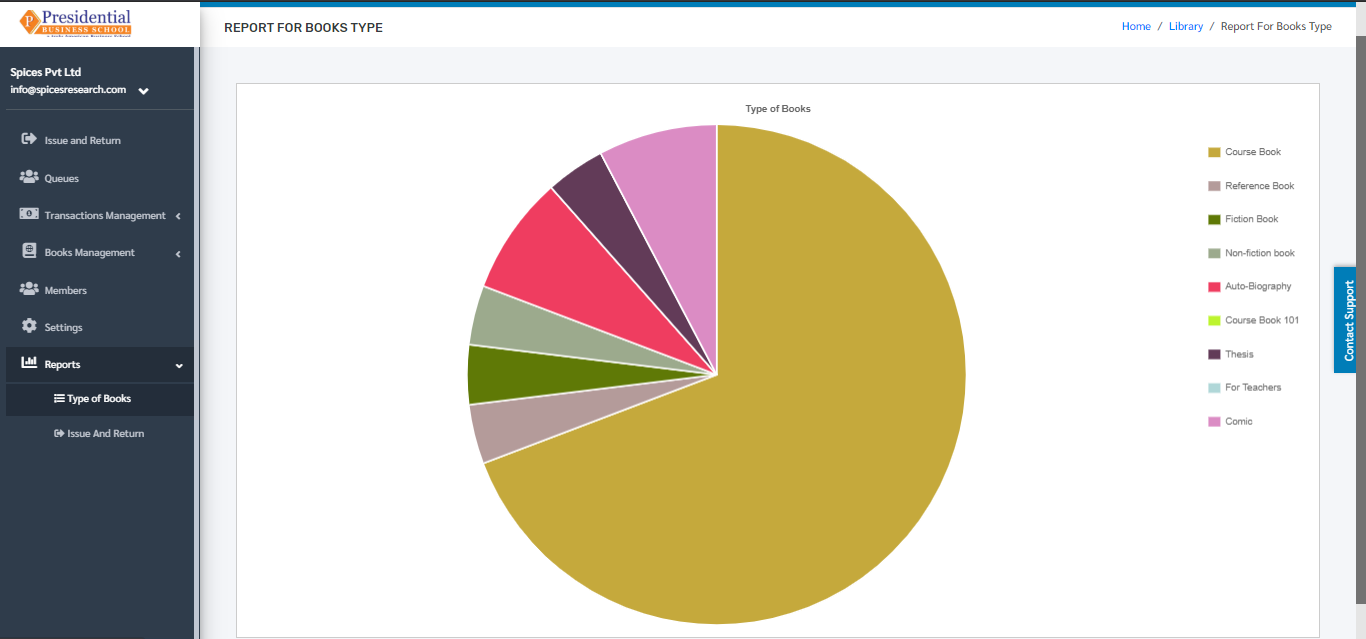
The page provides information on different types of books present in the library in the form of Pie-chart.
Issue and Return
The subcategory generates the report on the number of books that are issued and returned by the students in the library. The report can be seen in the form of a bar-graph. This subcategory can be accessed by clicking on the ‘Issue and Return’. This is done by the following process.
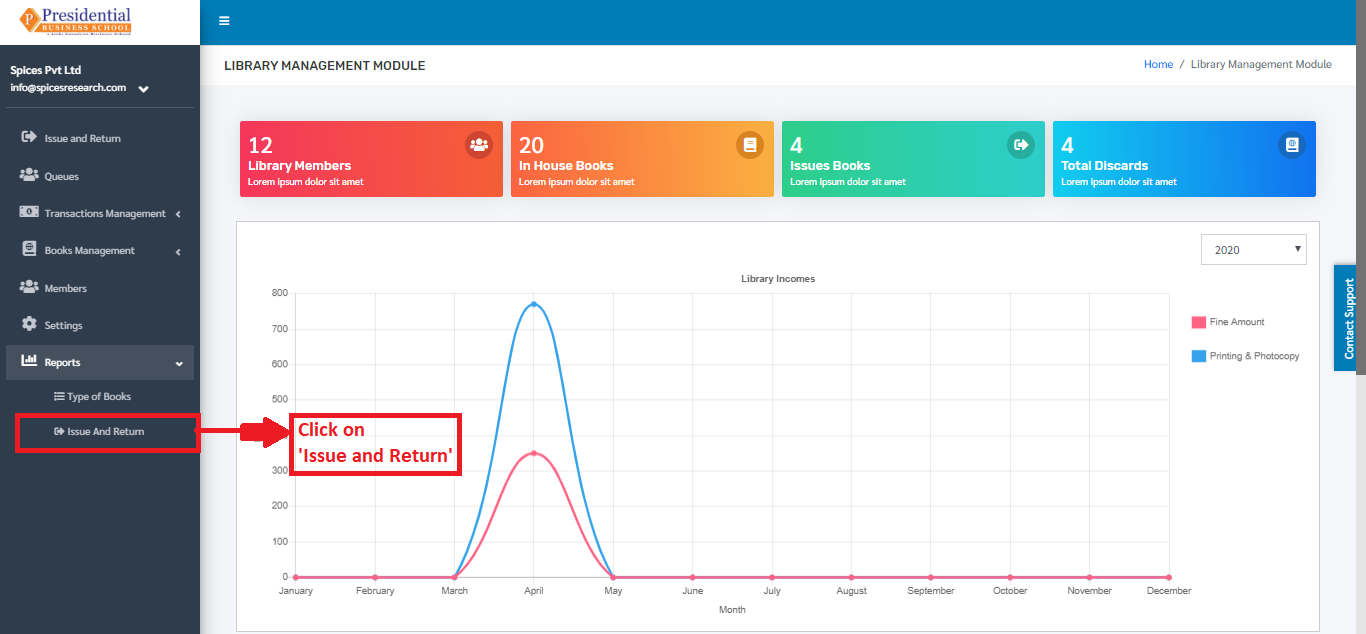
The user will be landed on the following page by clicking on ‘Issue and Return’.
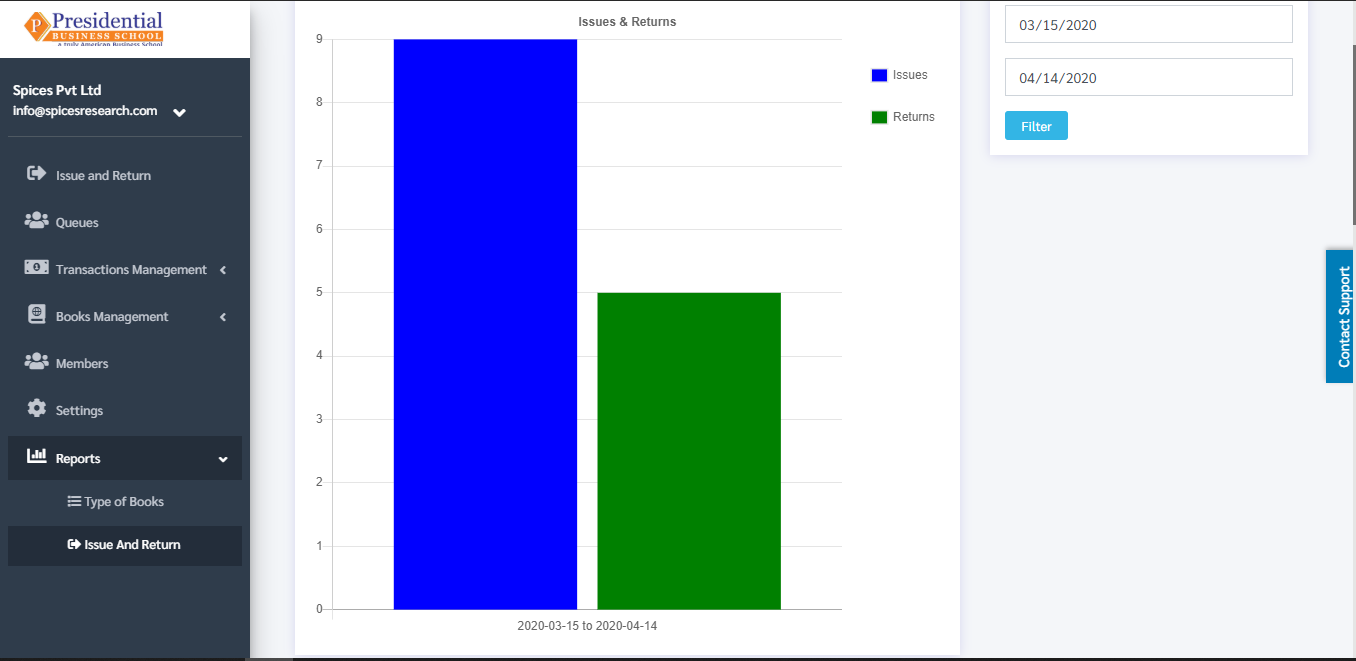
The page provides information on the number of issued and returned books by the students in the library in the form of a bar-graph.